

Description
Download Crawler Email Notifier – free Windows email alert tool
Crawler Email Notifier is a lightweight, free add‑on for Windows browsers that keeps you instantly informed when new mail arrives in your inbox. Developed by the seasoned team at Crawler, this utility targets users of legacy Windows platforms (Windows 95 and earlier) who need a no‑frills, reliable notification system without the bloat of modern email clients. Since its inclusion in our software catalog in 2006, the program has amassed over 4,700 downloads and continues to receive occasional installations, proving that a simple, secure notification tool still has a place in today’s workflow. Version 4.1, released on 2 September 2006, remains the latest stable build, offering a minimal storage footprint, English‑only interface, and seamless integration with popular browsers of its era. Whether you run a vintage workstation for testing, maintain an offline mail archive, or simply prefer a dedicated notifier that never interferes with your browsing, Crawler Email Notifier delivers a straightforward experience that is both fast and dependable.
Key Features of Crawler Email Notifier
- Real‑time desktop alerts for incoming email messages.
- Ultra‑light footprint – requires less than 1 MB of disk space.
- Compatibility with Windows 95, 98, ME, and earlier releases.
- Simple, English‑only user interface that launches with your browser.
- Customizable sound and visual cue options for each new message.
- Low‑resource consumption – runs silently in the background without slowing down older systems.
- Free of charge with no hidden fees, registration, or ads.
- Secure handling of email headers; no message bodies are stored locally.
- Easy update mechanism – just replace the executable with the latest version.
- Supports multiple email accounts through standard POP3/IMAP checks.
Installation & Usage Instructions
Installing Crawler Email Notifier is as straightforward as the software itself. Begin by downloading the installer from a trusted source – the official Crawler website or a reputable software archive that hosts the original Windows 95‑compatible package. Once the .exe file is saved, double‑click to launch the installer. The wizard will guide you through a three‑step process: accept the license agreement, choose the destination folder (the default path is C:\Program Files\Crawler Email Notifier), and confirm the creation of a desktop shortcut. Because the program targets legacy operating systems, there are no modern prerequisites such as .NET Framework or Visual C++ redistributables.
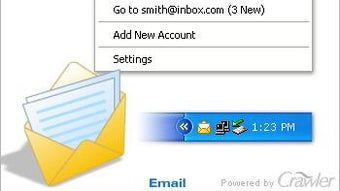
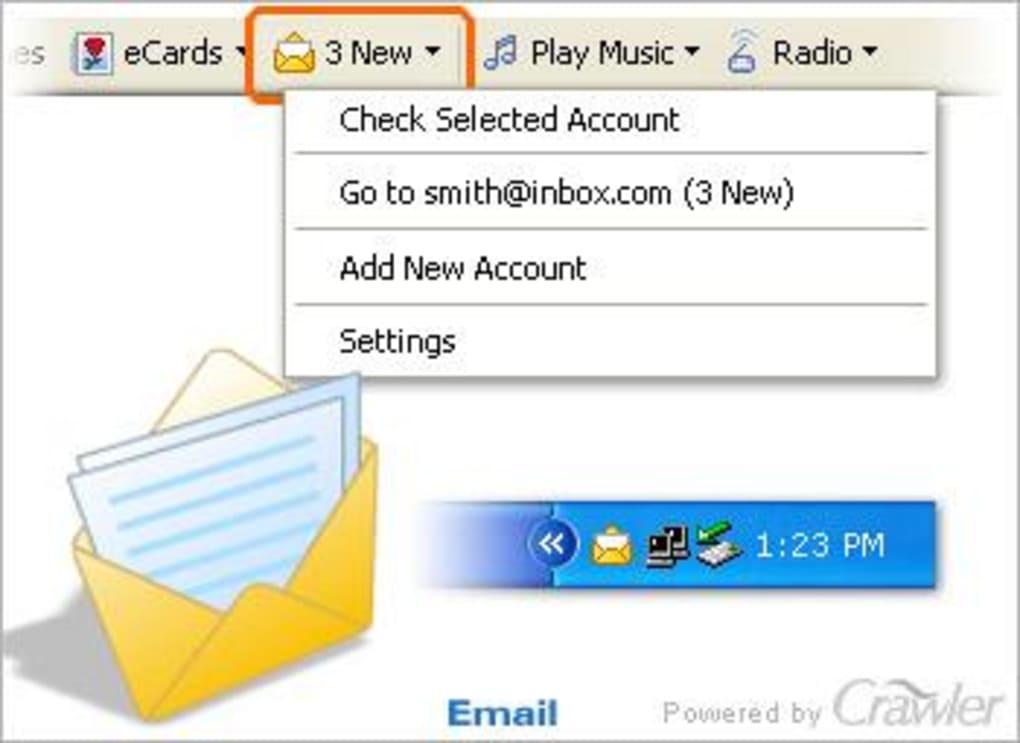
After installation, launch the notifier from the shortcut or the Start menu. The first run presents a concise configuration window where you enter your email account details: server address, port, username, and password. Crawler Email Notifier supports both POP3 and IMAP protocols, automatically detecting the appropriate security settings (SSL/TLS) if available. Once the credentials are saved, the program runs silently in the system tray, periodically polling the server for new messages based on the interval you specify (default is five minutes). When a new email arrives, a pop‑up balloon appears near the tray icon, displaying the sender, subject line, and a brief preview. You can click the notification to open your default webmail client or simply dismiss it.
For power users, the settings dialog also allows you to fine‑tune the alert sound, choose between visual cues (icon flashing vs. balloon), and set a “Do Not Disturb” schedule for nighttime hours. Because the application is built for older Windows versions, it does not require administrative privileges after the initial install, making it suitable for locked‑down workstations where users lack full rights.
Compatibility, Pros & Cons
Crawler Email Notifier is explicitly designed for legacy Windows platforms, supporting Windows 95, 98, ME, and earlier versions. While it will also run on later editions such as Windows XP and Windows 7, you may encounter minor visual glitches due to the older UI framework. The program does not have native macOS, Linux, Android, or iOS versions, so it remains a Windows‑only solution.
Pros
- Extremely small size – ideal for machines with limited storage.
- Zero cost and no recurring subscription fees.
- Runs silently in the background with negligible CPU usage.
- Works with any email service that supports POP3 or IMAP.
- Simple configuration makes it accessible to non‑technical users.
Cons
- Only supports Windows 95‑era operating systems; no native support for macOS, Linux, or mobile platforms.
- English‑only interface may limit non‑English speaking users.
- Last updated in 2006, so security patches are not actively maintained.
- Lacks modern features such as push notifications, calendar integration, or advanced filtering.
- No built‑in email client – works solely as a notifier.
Frequently Asked Questions
Is Crawler Email Notifier safe to use on modern Windows versions?
Yes, the program runs on Windows XP, Vista, and even Windows 10, but it was built for older systems. While it does not contain known malware, the lack of recent security updates means you should use it behind a firewall and only with trusted email accounts.
Can I receive notifications for multiple email accounts simultaneously?
Yes, Crawler Email Notifier allows you to add several POP3/IMAP accounts. Each account can have its own polling interval and notification sound, helping you differentiate between work and personal mail.
Does the notifier store any part of my email messages?
The software only reads the email headers (sender, subject, and date) to generate alerts. It never downloads or saves the full message body on your hard drive, preserving privacy and reducing storage usage.
How can I change the alert sound or disable visual pop‑ups?
Open the Settings window from the system‑tray icon, then navigate to the “Alerts” tab. From there you can select a different WAV file for the sound cue, mute the sound entirely, or switch to an icon‑only notification mode.
Is there a way to schedule “Do Not Disturb” hours?
Yes. The “Schedule” section lets you define start and end times during which the notifier will remain silent. This is useful for nighttime or meeting periods when you do not want interruptions.
Conclusion & Call to Action
Crawler Email Notifier may look like a relic from the early days of the internet, but its core promise—delivering instant, unobtrusive email alerts on low‑spec Windows machines—remains relevant for niche users today. If you run a legacy workstation, need a zero‑cost notifier, or simply appreciate software that does one thing and does it well, this tool is worth a download. Its tiny size, straightforward configuration, and reliable polling make it an excellent companion for anyone who prefers a dedicated alert system over a full‑blown email client.
Ready to try it out? Download Crawler Email Notifier now and experience a lightweight, secure way to stay on top of your inbox without sacrificing system performance. Remember to keep your Windows firewall enabled and use strong passwords for your email accounts to maximize safety.
Guides & Tutorials for Crawler Email Notifier
How to install Crawler Email Notifier
- Click the Preview / Download button above.
- Once redirected, accept the terms and click Install.
- Wait for the Crawler Email Notifier download to finish on your device.
How to use Crawler Email Notifier
This software is primarily used for its core features described above. Open the app after installation to explore its capabilities.
User Reviews for Crawler Email Notifier 0
No reviews found





